
Free template
Union grievance form template
A clean, two-page grievance form for stewards and reps. Type straight into the fillable PDF, or edit the Word file to match your contract.
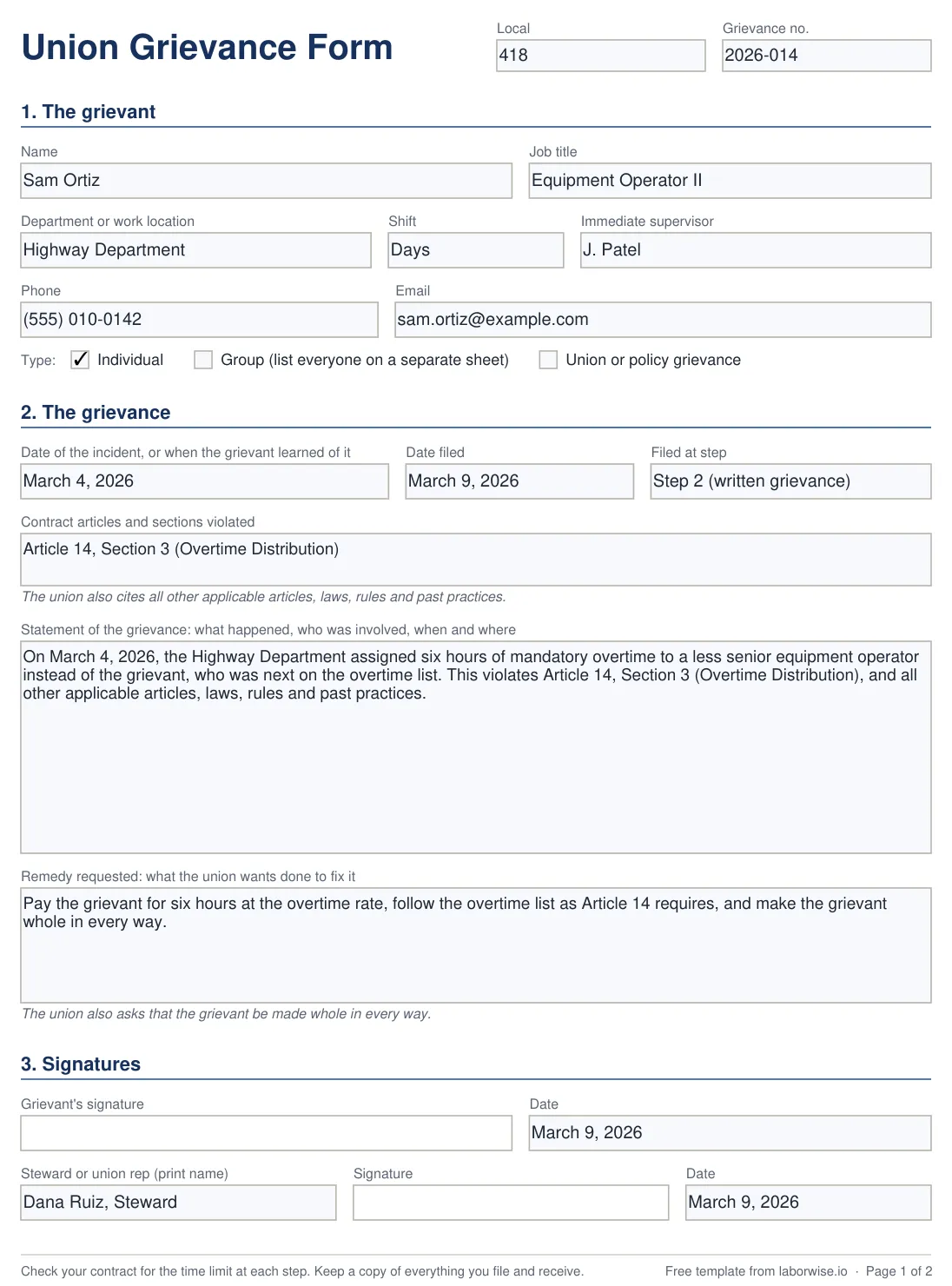
What's on the form
| Part | What to put in it |
|---|---|
| Local and grievance number | Your local, and the number your local uses to keep track of the grievance |
| The grievant | Name, job title, department, shift, supervisor and contact details. Tick whether it's an individual, group or union (policy) grievance |
| Dates and step | When it happened (or when the grievant found out), the date you file, and the step of the grievance procedure you're filing at |
| Contract articles | The articles and sections the employer broke. The form adds the line “all other applicable articles, laws, rules and past practices” |
| Statement | The facts: who, what, when and where. Short, with no arguments |
| Remedy | Everything it would take to fix it. The form adds “made whole in every way” |
| Signatures | The grievant and the steward or rep, with dates |
| Management's response (page 2) | Who received it and when, their answer, and their signature |
| The union's decision (page 2) | Settled, withdrawn, or appealed to the next step, with the date |
| More space (page 2) | Room to continue any section |
Tips for filing a grievance
- Check the time limit first. Your contract says how many days you have to file and to appeal. Write the deadline down the day you hear about the problem.
- Name the article and the section. The catch-all line on the form keeps the rest of the contract in play.
- Keep the statement short and factual. Save the argument for the grievance meeting.
- Ask for the full remedy. You can settle for less later, but you usually can't ask for more.
- Get it dated when you hand it in. Ask management to fill in “Received by” and the date on page 2.
- Keep a copy of everything. What you file, what comes back, and the date of each.
If your contract has its own form
Some contracts include their own grievance form. If yours does, use it. This template is for locals that don't have one, or want a cleaner layout. The Word file lets you add your local's name, change the wording, or add fields your contract asks for.
Using this form in LaborWise
Upload the PDF to LaborWise once, and it fills in the member's name, the case number, dates, the current step and the contract articles from the case. Send the member a signing link, or have them sign on your phone. The signed PDF is saved with the case, and reminders watch every step's deadline.
See forms & e-signatures